
Wordpress Info You Can Use
Wordpress Information for WP Users
Privacy Policy Tool in WordPress
To protect yourself, your business, and the data of your website’s visitors it’s highly recommended to place a privacy policy on your website. The Privacy Policy Tool in WordPress will help you and your website visitors understand all the ways your website collects...

How to use WordPress Health Check
Use our FREE WordPress Website Health Check Tool at https://wp.support/tools/wordpress-health-check Ever encountered a WordPress issue and have no idea on how to start? Wish you could pinpoint where the exact issue is without having to spend hours investigating? A...
Adding Latest WordPress Posts in the Gutenberg Editor
With the new Block Editor actually looking to replace WordPress default widget capabilities, you can now list your latest WordPress posts with excerpts on your pages and posts without using a plugin, or having to only place them in a widget area. Step 1: Select any...
OVER 13 Places to get Gutenberg Blocks for WordPress 5.0
Gutenberg Blocks for WordPress 5.0 Gutenberg is here and many people have started using it for their online editing experience. Out of the box, there are alot of great blocks build into Gutenberg, but there are bound to be some times where you're looking for a...

Using the WordPress Site Health Check
On May 7th, 2019 Wordpress has released WordPress 5.2 “Jaco”. It has included multiple features that help users troubleshoot and fix errors that may occur on a Wordpress website. If you have automatic updates set up for your website, you do not have to worry...

How to Edit Live WordPress Content
Have a lot visitors coming to your website? That’s great! To keep your website up to date, attract new visitors, and maintain your current visitors, you have to do regular content updates. The only downside to content updates is that you have to be careful about how...
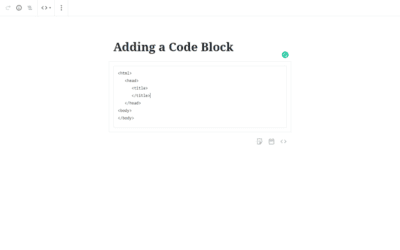
Adding a Code Block to Gutenberg- WordPress 5.0
There may be some times when you want to show some computer code to your readers. In the past that may have been hit or miss because the code may have executable instructions in it that would make the formatting inconsistent. The Code Block in Gutenberg...
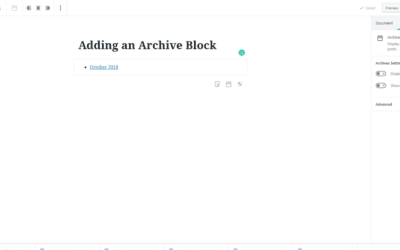
Adding the Archive Widget to Gutenberg- WordPress 5.0
The archive block places a listing of the archived posts on your site. Step 1- Choose the archive block by either typing into the search bar or scrolling down to the "widgets" category in the block selector. Choose the Archive B``lock underneath the...

Our One on One WordPress Training Works!
For over 13 years we have helped many site owners and businesses learn how to use WordPress more effectively.
Whether you are a beginner or just someone who needs help because they are “stuck” – we can help you.
One on one training is the most effective type of training for WordPress because it allows you to ask the types of questions that will solidify your understanding and help you grow your audience, sell your product, or gain more customers.
We help with everything from simple WordPress blogs to complex WordPress Multisite issues.
Some of our One on One Clients: