
Wordpress Info You Can Use
Wordpress Information for WP Users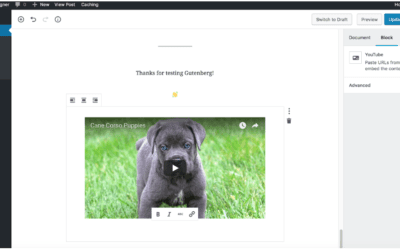
Embedding Youtube and Vimeo videos in Gutenberg WordPress 5.0
Embedding Youtube and Vimeo videos in Gutenberg is even easier than it was with the classic WordPress editor. Embed Blocks allow you to add content from other websites (videos from YouTube, tweets from Twitter, an event from meetup.com, etc.) into your own...
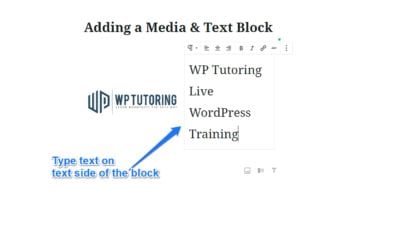
Adding a Media & Text Block in Gutenberg
AKA - placing text beside an image in WordPress 5.0 This is the block that we've all been waiting for! For anyone who has been using the Gutenberg editor, placing text beside an image or video was extremely frustrating and difficult. In fact there was a...
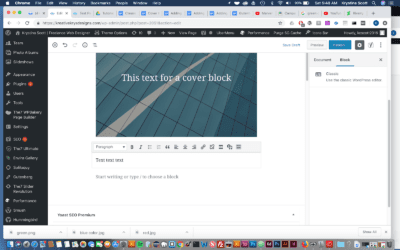
Using the Classic Block in Gutenberg
The classic block allows you to use the familiar classic WordPress editor within a Gutenberg block. If you convert a post from the Classic Editor,( pre WordPress 5.0), to Gutenberg, your whole post will show up in one Classic Block. This...
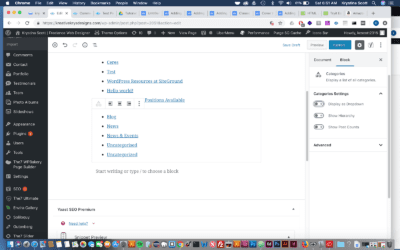
Adding a Category Block in Gutenberg
A category block allows you to display a list of all of your post categories. Think of this as a block version of the popular category widget. Step 1- Hover your mouse over the Add Block icon (the plus sign in the upper left hand corner within the Gutenberg...
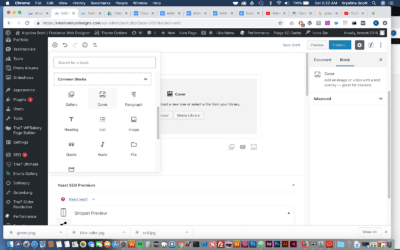
Adding a Cover Block in Gutenberg
A cover block is a great option to use as a header for your content. You can add an image or video with a text overlay. Step 1- Hover your mouse over the Add Block icon (the plus sign in the upper left hand corner within the Gutenberg editor). Scroll to Common...
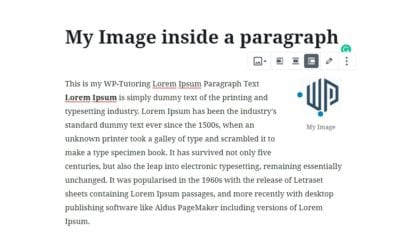
Gutenberg – Adding an Image to the paragraph block
Thanks to Jeff Chandler of WP Tavern for this solution. Adding an image to the paragraph block can be extremely frustrating because it is not a straightforward process. Follow the steps below to pull it off. Step 1 - Write Your paragraph(s) using the...
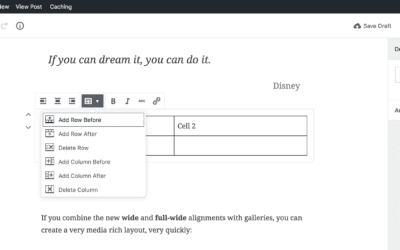
Adding a Table in Gutenberg
Adding a Table in Gutenberg There are some times when you'll need to use a table to display your data and information properly. Gutenberg makes this easy with the Table Block. Step 1 Hover your mouse over the Add Block icon (the plus sign in the upper left hand...
WordPress for Business- Save time and Money- Part 1
WordPress for Business Blog Series Over the next handful of posts, we'll be focusing on WordPress for Business and how a business can utilize this powerful tool to save their company time and ultimately money. [bctt tweet="WordPress has the power to automate...

Our One on One WordPress Training Works!
For over 13 years we have helped many site owners and businesses learn how to use WordPress more effectively.
Whether you are a beginner or just someone who needs help because they are “stuck” – we can help you.
One on one training is the most effective type of training for WordPress because it allows you to ask the types of questions that will solidify your understanding and help you grow your audience, sell your product, or gain more customers.
We help with everything from simple WordPress blogs to complex WordPress Multisite issues.
Some of our One on One Clients: