
Wordpress Info You Can Use
Wordpress Information for WP Users
Slideshows WordPress for Business- Save time and Money- Part 5
Slideshows in WordPress- Save your business Time and Money This is part 5 in a WordPress for Business Series - Save Your Business Time and Money: WordPress for Business Part 1 - "Smart Forms" WordPress for Business Part 2 - Booking Plugins WordPress for Business Part...
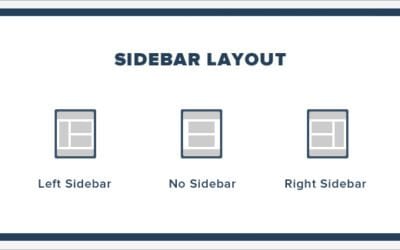
Adding a Widget to a Sidebar
We can show content in the sidebar by adding widgets. Follow the steps below to add a widget to a sidebar: Adding a Widget to a Sidebar STEP 1 : Go to Appearance > Widgets page. STEP 2 : Drag and drop your desired widgets to the sidebar area. You can add Search,...

What are WordPress Sidebars
What are WordPress Sidebars Sidebars in WordPress are referred to a widget-ready area used by WordPress themes and plugins to display information. There are different kinds of sidebars like: Vertical sidebar, Horizontal sidebar etc.. The usage of sidebars varies and...

What are WordPress Widgets
What are WordPress Widgets WordPress Widgets are designed to provide a simple and easy-to-use way of giving design and structure control of the WordPress Theme to the user, which is now available on properly "widgetized" WordPress Themes to include the header, footer,...

Adding a Title Attribute in WordPress
Title attribute is a tooltip text for an element. It is shown as a tooltip text when the mouse moves over the element. We cat add this attribute to images, text etc.. The process is the same for image or text. Follow the steps below to add title attribute to an image:...

Renaming a menu item in WordPress
Sometimes we need to rename menu items in WordPress. Follow the instructions below to do that: Renaming a menu item in WordPress STEP 1 : To rename a menu item in WordPress, find the Menus menu in the WordPress Dashboard Navigation menu. STEP 2 : Click on your desired...

Assigning a Menu Location in WordPress
We can assign the menu location in WordPress to show them in particular part of the website. Follow the steps below to do that: Assigning a Menu Location in WordPress STEP 1 : To assign a menu in WordPress, find the Menus menu in the WordPress Dashboard Navigation...

Creating a Menu in WordPress
Menu is an important part of any website. We can create a menu in WordPress by following the steps below: Creating a Menu in WordPress STEP 1 : To create a menu in WordPress, find the Menus menu in the WordPress Dashboard Navigation menu. STEP 2 : Provide the name of...

Our One on One WordPress Training Works!
For over 13 years we have helped many site owners and businesses learn how to use WordPress more effectively.
Whether you are a beginner or just someone who needs help because they are “stuck” – we can help you.
One on one training is the most effective type of training for WordPress because it allows you to ask the types of questions that will solidify your understanding and help you grow your audience, sell your product, or gain more customers.
We help with everything from simple WordPress blogs to complex WordPress Multisite issues.
Some of our One on One Clients: