
Wordpress Info You Can Use
Wordpress Information for WP Users
WordPress Outsourcing Nightmare – Or why you should hire a WordPress Consultant
A WordPress Consultant can make your life easier As a WordPress trainer and consultant, I tried my best to console a potential client as she cried in frustration because of the money and time she wasted on an outsourced WordPress project gone bad. Essentially,...
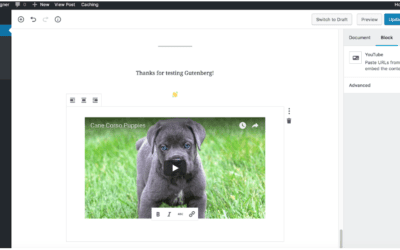
Adding a Video in Gutenberg Editor
Adding a video in Gutenberg https://youtu.be/PWO_y21-nP4 Tutorial Video on How to Add YouTube and Vimeo Videos in WordPress Step 1 There are two types of videos you can add in Gutenberg: uploaded video file and embedded video.Step 2 To add a video as a file upload,...
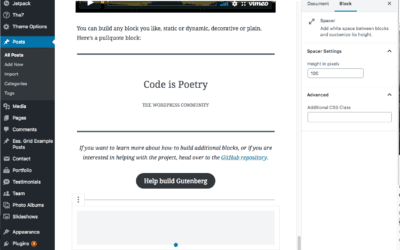
The Spacer Block in Gutenberg
Step 1First go to the page where you would like to add the spacer. Click on the plus sign icon in the upper left-hand corner. From there, select the Layout Elements from the drop-down menu. Click on Spacer.Step 2 A white space will appear within your page. Adjust...

Creating a new page in WordPress
Step 1To get started adding a new page to your WordPress site, find the Pages menu in the WordPress Dashboard Navigation menu. Click Add new.Step 2Add the title of the page, like About. Note: If you have pretty permalinks set up, the title of your page will also be...
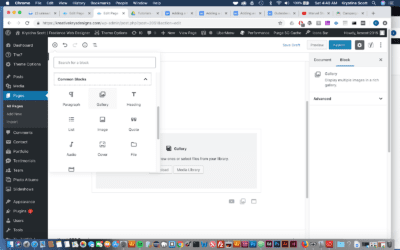
How to add a Gallery in Gutenberg- WordPress
In this video you'll learn how to add a gallery in Gutenberg. Adding a gallery is much easier than you might think. https://www.youtube.com/watch?v=R8Y3xLacEs4 . The Gallery block in the WordPress Gutenberg editor is an essential tool for displaying multiple...

Setting the Timezone in WordPress
Step 1To set up the timezone, go to Settings > General menu in the WordPress Dashboard.Step 2You'll see Time zone dropdown where you can select your preferred time zone.Additionally, you can choose a major city within your time zone.You can also set up the date...

Deleting comments in WordPress
We don't want to show unnecessary comments on our blog posts. In order to delete comments, follow the steps below: Interactive Tutorial on Managing Comments, (includes deleting comments - sound enabled) 1. In order to manage comments, you must first click comments...
How to Disable the Block Editor in WordPress Disable (Gutenberg)
Download the Disable the Block Editor Tutorial Pdf Disable the Block Editor Table of ContentsDisable the Block Editor (Gutenberg) with the Classic Editor PluginDisable the Block Editor (Gutenberg) with the Disable Gutenberg PluginDisable the Block Editor (Gutenberg),...

Our One on One WordPress Training Works!
For over 13 years we have helped many site owners and businesses learn how to use WordPress more effectively.
Whether you are a beginner or just someone who needs help because they are “stuck” – we can help you.
One on one training is the most effective type of training for WordPress because it allows you to ask the types of questions that will solidify your understanding and help you grow your audience, sell your product, or gain more customers.
We help with everything from simple WordPress blogs to complex WordPress Multisite issues.
Some of our One on One Clients: