Thanks to Jeff Chandler of WP Tavern for this solution. Adding an image to the paragraph block can be extremely frustrating because it is not a straightforward process. Follow the steps below to pull it off. Step 1 - Write Your paragraph(s) using the...
WordPress Tutorials for Beginners and Intermediate Users
We have provided multiple WordPress tutorials for you to get step by step instructions on how to do common things in WordPress. Refer back to this page often as we will have WP Tutoring content updated weekly.
View our online WordPress Tutorial and video.
Adding paragraph text in Gutenberg
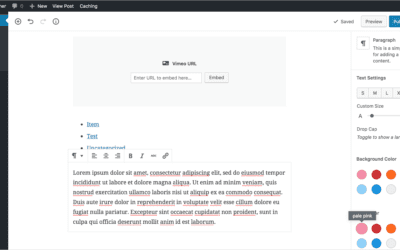
Gutenberg introduces a great way for you to add paragraph text. You can use blocks to better separate and organize your content. Also using blocks, you can easily move content around. Step 1 Hover your mouse over the Add Block icon (the plus sign in the...
Adding pull quotes in Gutenberg
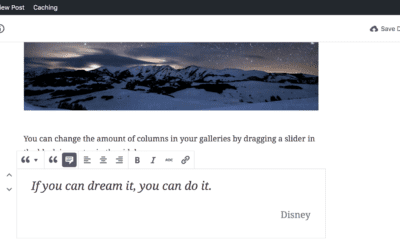
Pull Quotes are an important feature in many online publishing platforms. In the new Gutenberg editor for WordPress, this is made really simple and intuitive. The look of the pull quote on the front of your site is still determined by your particular theme setup,...
Adding an Image in Gutenberg
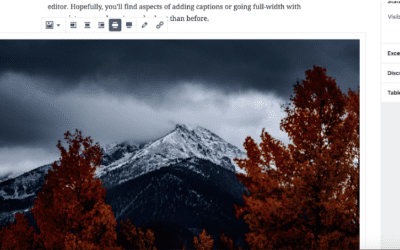
There are three ways to add images with Gutenberg: as an individual image, cover image, or an image gallery. 1. The first step is to click on Gutenberg 2. Click Add block (Plus Sign) 3. Click Image 4. Here you can upload a new image or add an image that has already...
WordPress 5.0 Gutenberg – What is it? How to Prepare
If you’re a Wordpress developer, designer or owner of a Wordpress site, you’ve most likely heard about the upcoming Wordpress 5.0 update and the big changes it can bring. This update brought up questions such as: “What makes this update different from the others? How...
What is WordPress
What is Wordpress? Many people who are looking to create their first blog or business website hear about WordPress at some point or another. What is WordPress? Wordpress is a popular online, open source website tool for creating and managing websites. The tool is used...
How to change the number of items listed in WordPress All Posts Page
WordPress is continuously updating their content management system for convenience and user friendly applications. One of the most frustrating things about viewing the post and page views in WordPress was being limited to only 20 items per page. With the newest...
How to use the New Image Widget
The New Image Widget enables WordPress users to quickly and easily add images to particular widget areas in their website theme. Using the New Image Widget makes it easier to enhance the visual appeal of your websites. For example, you can now tailor content focused...
How to use the WP Video Widget
The Video Widget is finally here WordPress is continually improving the application with items that users are asking for. One of the latest improvements that have popped up in WordPress 4.8 is a new video widget. This widget has been highly anticipated, and we'll...
How to change usernames in WordPress using Username Changer Plugin
Username Changer Plugin has been what alot of you are looking for! Up until now, there has been no easy way to change your WP username. So if you are trapped with a username you don’t like, you have to keep using it. Thankfully, with this plugin, editing a username is...
How To Export WordPress Posts and Pages
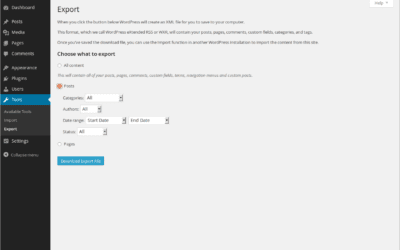
Exporting WordPress post and pages is very good for moving all of your page and post content to a new site or even just for backing up your material in case of any accidents. After exporting, WordPress will save all your content to an xml file that can be imported to...
Setting a Featured Image in WordPress
Setting a Featured Image Most WordPress Themes allow you to set a Featured image for pages and posts. Sometimes they'll be called a Post/Page Thumbnail, and essentially it is a image that explains or adds information for a post or page. Step 1 - Go to Post or Page...
WordPress User Activity Log Plugins
Guide to WordPress User Activity Log Plugins WordPress user activity log plugins are designed to help website content managers track the activity of users on the site. Using these plugins, you will get a log or instant notifications whenever any user does something on...
Do you have a WordPress Disaster Plan in Place?
A WordPress Disaster Plan is Extremely Important Every now and again we get a frantic email from a WordPress user who needs help with getting their site restored from a hack, or another major issue. The conversations after that go something like this - Us: We're...
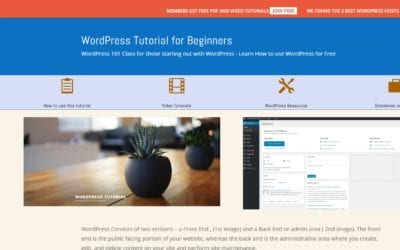
Free WordPress Tutorial for Beginners Just Launched
Learn WordPress the Easy Way We've just launched a Free WordPress Tutorial for Beginners that shows WP "newbies" how WordPress works. We've made an online tutorial showing how to login to WordPress and perform basic actions in WP. We also have over 40 free WordPress...
WordPress Updates Tutorial
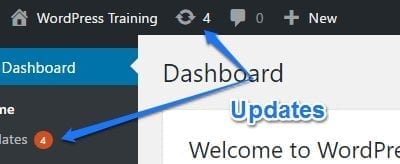
This past week saw 50,000+ WordPress sites hacked. Why? Lack of Updates. Let's find out how to update our sites. The WordPress Updates screen There are 3 areas in WordPress that need to be updated on a regular basis: How do I know when I need to update WordPress?...
50 Essential WordPress Plugins
WORDPRESS SECURITY The Sucuri Security plugin is for security monitoring & malware detection. The SiteGurad WP Plugin is for protecting the management page and login. 3. iThemes Security is easy to use and offers 30+ ways to Protect WordPress. 4.Anti-Malware...
How to add social media icons to your WordPress site
Socal Media is by far one of the best ways to get the word out about your great content or busiess news. Let's make it easy for others to promote your mssage by adding social media to your site via the "Add to Any" plugin. STEP 1 The first step is to open Dashboard ‹...
Enjoying our WordPress Tutorials? You'll love our one - on - one Training
How To Add Tags in WordPress
STEP 1 Depending on your theme that you are using Tags can be displayed at the top or bottom of the post On your Left side bar menu you will see posts and under it you will see Tags STEP 2 Adding information for Tag After clicking on Tags you will be able to enter the...
Using post revisions
Using post revisions is very useful feature of WordPress. It allows the author to view the revisions of the blog posts and restore to any of the version of the post. Let's see how to use it: Using post revisions STEP 1 : Go to the post editor of your blog post. And...
How to reply to a comment
We can reply to a comment on our WordPress site easily. Follow the steps below to reply to a comment: How to reply to a comment STEP 1 : Go to the post where you want to reply to a comment. STEP 2 : Click Reply and put your reply in the text area. STEP 3 : Now add...
Creating a Video Gallery in WordPress
Video Gallery can be created by different plugins in WordPress. We'll use a plugin "Video Gallery" to do that. See our another tutorial "Installing a WordPress Plugin" to get the instructions of installing a plugin. Follow the steps below after installing the plugin....
The Absolute Easiest Way to Make a Child Theme
You need to make a Child Theme If you are going to do any type of coding change on your WordPress website, you're going to need a child theme. There are a couple of reasons to use a child theme, but the most important one is so that when you update your theme,(which...
How to keep google from indexing your site
When you're in the process of building your amazing WordPress site, you definitely don't want to have google and other search engines indexing it and displaying your partially completed work. This is how to keep that from happening. STEP 1 The first step is to...
How to change the number of blog posts on your blog page
There may be times when you want to edit the number of blog posts that are showing on your page. The "look" of your site may require more or less blog posts. There is an easy way to change that value in WordPress. By Default WordPress shows 10 posts...
Updating a WordPress Plugin
Updating a WordPress Plugin As you grow your WordPress site, you'll begin to notice that at least once weekly, you'll need to update your plugins, (actually more frequently for many sites.) Here's how to do it. Step 1: Open your site's dashboard in your favorite...
WordPress Site Documentation Service
Does your WP Site have alot of custom areas that you don't understand? Did your developer just give you a site with no manual or anything to get you started? We will create a Custom WordPress Training Manual For your site as a PDF that you'll be able to use for...
Change the Post Author in WordPress
Sometimes you might have to change the author of a post because of personnel changes, or a site migration. Here is how you can Change the Post Author in WordPress from the "All Posts" screen. Step 1: Go to "All Posts" in your WordPress Dashboard. Step 2: Check the...
Creating a gallery in WordPress
We can create gallery in WordPress very easily. Let's do it by following the instructions below: Creating a gallery in WordPress STEP 1 : To create a gallery, open the page or post editor of your website and click on Add Media STEP 2 : Click Create Gallery and select...
Removing the wordpress admin user account
Sometimes we need to remove users from our WordPress website. It's very easy. Follow the steps below to do that: Removing the wordpress admin user account STEP 1 : To delete an user, go to Users > All Users menu in the WordPress Dashboard. STEP 2 : In that page...
How to install a free theme
There are lots of free themes in wordpress.org website. We can easily install the themes and activate by following the steps below: How to install a free theme STEP 1 : Login to your WordPress Dashboard and go to Appearance > Themes. STEP 2 : Click Add New Theme....
Import and Export WordPress Data
WordPress is a strong blogging CMS with lots of useful features. Import-Export option is one of them. We can easily export the blogs, pages, media files etc. from one site to another. Follow the steps below to do this. Import and Export WordPress Data Export WordPress...
Changing your WordPress Themes
Changing your Wordpress Themes Clicking on the Dashboard >> Appearance menu option will default you at the Themes screen. To preview of your site in another theme (that isn’t currently active), you can click the Live Preview button associated with the theme. To...
WordPress Dashboard
WordPress is one of the most popular CMS in the modern web world. About 26% of websites are build with this CMS. If you want to learn how the back-end of this CMS works, this tutorial is for you! In this Tutorial we'll learn about different features, options etc.....
Setting the Date Format in WordPress
There are different types of date format which we can use in our WordPress site. The steps are given below: Setting the Date Format in WordPress STEP 1 : To set up the date format, go to Settings > General menu in the WordPress Dashboard. STEP 2 : You'll see Date...
Setting WordPress Starting day of the Week
The starting day of the week is not the same in all countries. So we need to change that to match our local system. Follow the steps bellow to set up the starting day of your site: Setting WordPress Starting day of the Week STEP 1 : To set up the starting day, go to...
We have been Tutoring WordPress Users Since 2012 - Get Live Help!!
No Results Found
The page you requested could not be found. Try refining your search, or use the navigation above to locate the post.